
Dashboard
The dashboard is where people work escalations and where operators watch the floor. It ships with Long Tail, reads the same role-scoped API as every other surface, and refreshes from events. This page walks the sidebar, the pages you will use most, and the ways to put the right queries in front of the right people.
Start Long Tail from code and the dashboard is at http://localhost:3000. The boilerplate serves on http://localhost:3030.
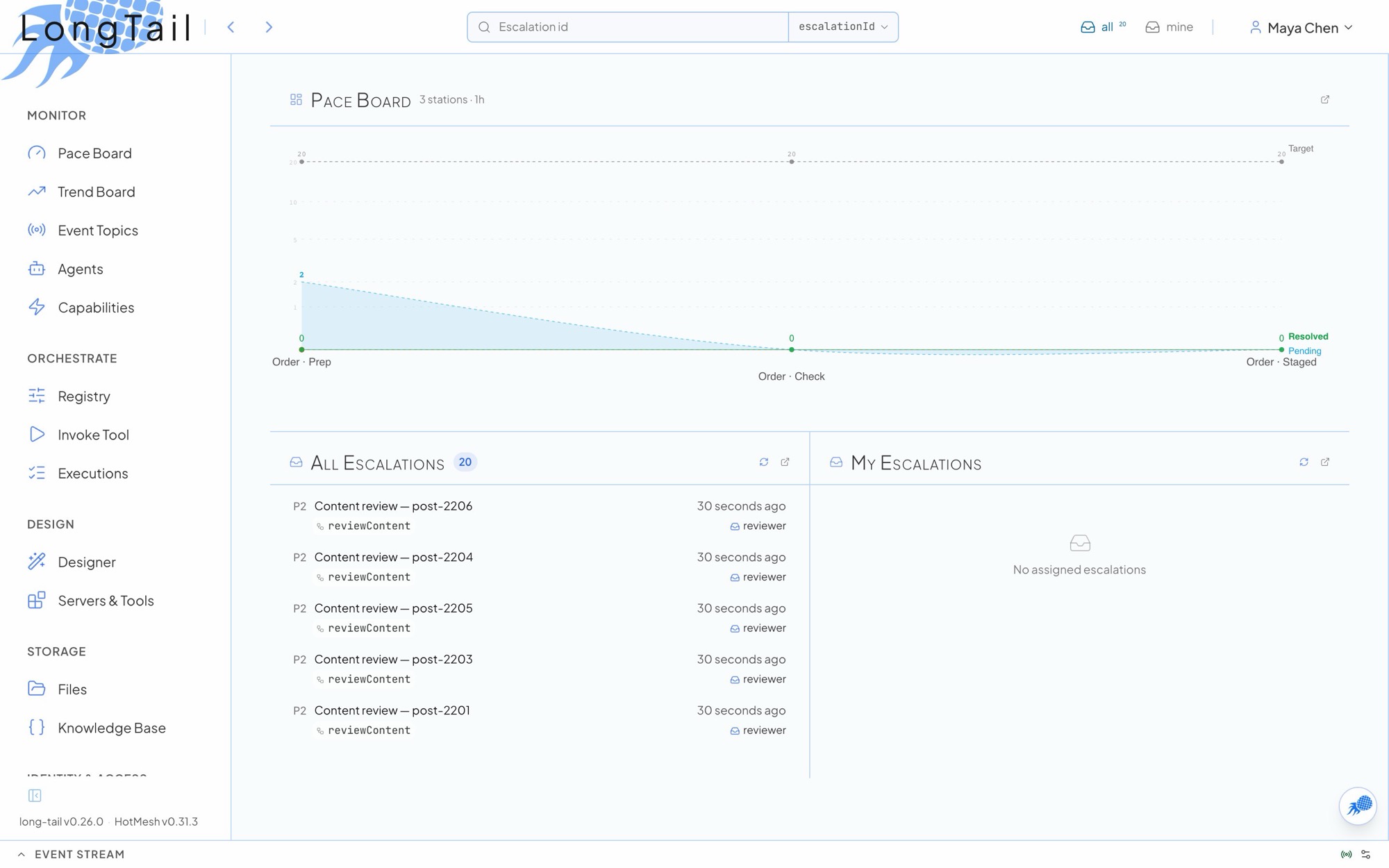
The sidebar
Section titled “The sidebar”| Group | Pages | For |
|---|---|---|
| Monitor | Pace Board (/pace), Trend Board (/trends), Event Topics (/topics), Agents (/agents), Capabilities (/capabilities) |
Watching flow and configuring event reactions |
| Orchestrate | Procedural registry, Invoke Tool, Executions; Graph configure, invoke, executions | Starting and inspecting workflows |
| Design | Designer (/mcp/queries), Servers & Tools (/mcp/servers) |
Authoring MCP tools; shown when an Anthropic key is configured |
| Storage | Files (/files), Knowledge (/knowledge) |
Managed files and versioned reference data |
| Identity & Access | Accounts, Roles, Personas, Scan Codes | Who can do what, and the queues themselves |
| Infrastructure | Routers, Messages, DB Maintenance | Builder-only, opted in per browser |
Your own pins and your roles’ pins appear as their own nav sections, each under the role’s display title. People without builder access see a Tools section with Invoke Tool when there is a workflow they may start.
The header carries the search and run bar, live counts for all (unclaimed in your roles) and mine (assigned to you), the scan panel when scan codes are on, the event feed, the docs drawer and the user menu (Credentials, Connected apps, Link variables, theme, Sign out).
Working escalations
Section titled “Working escalations”All Escalations
Section titled “All Escalations”/escalations/available is the queue across every workflow. The title is the role selector.
- Filters: status (available, claimed, resolved, cancelled, expired), role, workflow type, priority and time window.
availablemeans pending and unclaimed or past its claim. - Faceted query in the URL:
?facets=,?block=,?range=,?exists=,?roles=,?orderBy=,?jeopardy=1. Every query copy-pastes. See Faceted routing. - Views:
?view=table,timelineorrich. A role that owns a list schema defaults to its rich view. - Metadata triad: hover any metadata value to filter this queue by it, search all queues for it, or open its cross-queue history.
- Bulk actions for admins: Claim, Assign, Unassign, Escalate and Cancel, each reporting rows skipped and why.
/escalations/queue is My Escalations: what is assigned to you, with a claim-expiry countdown.
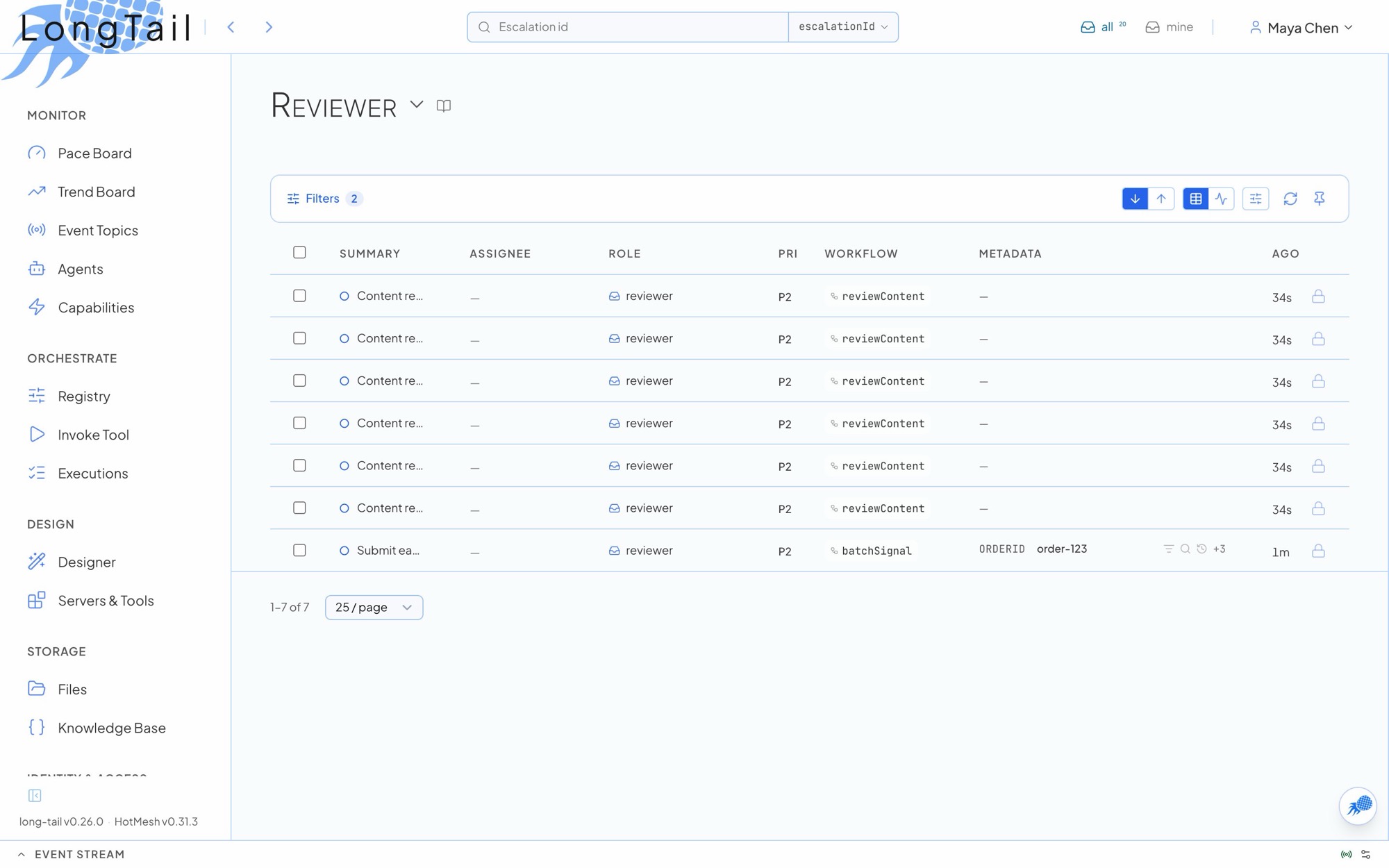
Escalation detail and the resolve form
Section titled “Escalation detail and the resolve form”/escalations/detail/:id is where a person completes the work a workflow is waiting on.
| Part | What it does |
|---|---|
| Action bar | Shows the verbs valid now: Claim, Submit, Release, Cancel. The form is read-only until you hold a live claim. |
| Form | The target role’s versioned form_schema, pre-filled from envelope.formDefaults and field defaults. See Forms. |
| Validation | One pass on the client and, when the role sets enforce_schema, again on the server with a canonical 422. |
| Resume | Submitting resolves the row and the waiting conditional resumes in place with the payload. |
| Side panel | Help (x-lt-help), Details, Metadata, Items (batch and accumulator rows), Context, Record and Errors. |
Admins see Reassign and Return to queue when someone else holds the claim. When a workflow assigns a follow-on escalation to you, the dashboard opens it directly.
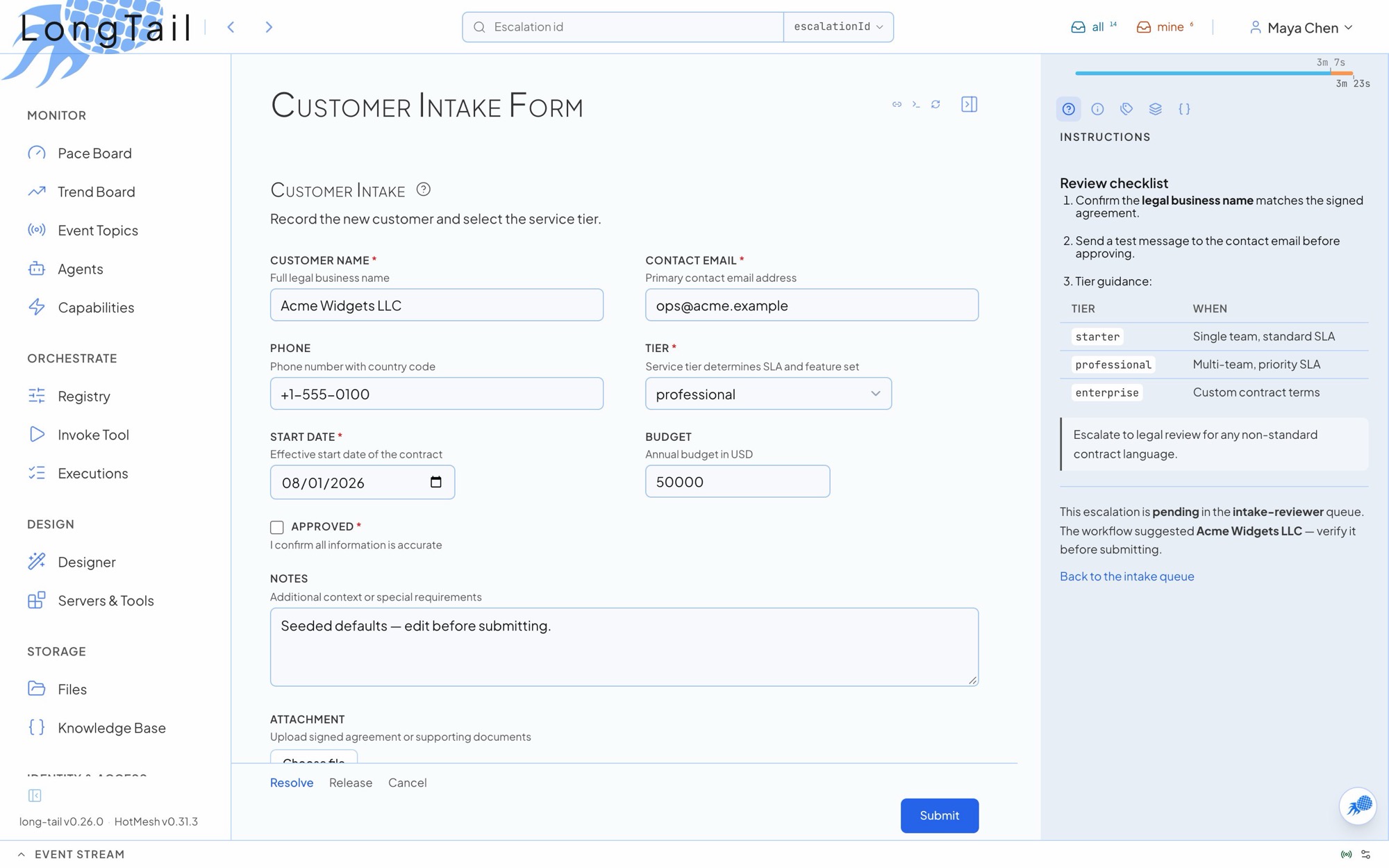
Search and run
Section titled “Search and run”The header bar has two verbs chosen by a trailing type chip:
- Find looks a row up by
escalationId,workflowIdor a configured facet. Enable it withsearch: { enabled: true, facets: ['orderId'] }instart(), orLT_SEARCH_BAR=trueandLT_SEARCH_FACETS=orderId. - Run composes a scan code from a chosen rule and the typed target, then runs it exactly as a scanner would. It appears when
features.scanCodesis on. See Scan codes.
Pace Board
Section titled “Pace Board”/pace answers “are we keeping up, and where is work backing up?” across a segment of roles. Configuring the board is configuring roles.
-
Open the role under Identity & Access > Roles.
-
In the Pace Board section, turn on Show this role on the Pace Board and set two of
sla_minutes,target_per_hourandworker_count. The third is derived:target_per_hour = worker_count / (sla_minutes / 60). -
Set Prior Step (
parent_role) to the role this one receives work from. Leave it blank to start a segment.
The same fields are on PATCH /api/roles/:role.
| Element | Shows |
|---|---|
| Pace chart | Roles in dependency order. A dashed target line at target_per_hour × window hours, a green actual curve of resolved counts, and the live claimed and waiting bands beneath. |
| Role table | Target and SLA (edit inline), derived workers, pending, claimed, resolved, P99 wait (created to claimed), P99 work (claimed to resolved), a time-in-state mix and a trend bar. |
| Jeopardy | Pending, unclaimed rows older than the role’s threshold. The count and the jeopardy=1 list share one SQL predicate, so they always agree. |
| Role panel | Its own period toggle, wait and work percentiles, mix and entity timelines. |
Periods are 15m, 1h (default), 24h, 7d and 30d, deep-linked as ?period=. pending is always live. Resolved counts and percentiles follow the window.
Jeopardy age comes from priority_facet (a metadata ISO timestamp such as an order’s authorized time; created_at when blank) against priority_threshold_minutes (sla_minutes when blank).
Trend Board
Section titled “Trend Board”/trends follows an entity (a serialNumber, an orderId) through every role that handles it. Each role’s entity_facet and entity_state_source dials define the lens.
| Tier | Shows |
|---|---|
| Where the time went | States ranked by total dwell, with the biggest time sink called out |
| Slice by | ?slice=<facet> splits the system into columns, one per value |
| Entity table | One row per entity with its current state and dwell band. ?find= prefix-filters. |
| Timeline | ?entity=<value> opens that entity’s cross-queue intervals, gaps included |
The aggregate bands are counts-only. Slices and timelines need read_all on the system’s queues. The query contract is on Analytics.
Both boards are readable by every login while features.publicPaceBoard (default on) stands. Set it to false to limit them to admins and superadmins. When your roles declare link variables, a scope pill narrows the whole board to your device’s binding.
Pinned views
Section titled “Pinned views”Every list filter already lives in the URL. Pins put the right ones in the right person’s nav from first login.
- Pin this view on any escalation list saves the current filters with a label.
badge: trueshows a live count computed with the same predicate the pin opens, so the badge and the list agree.- A role’s
default_pinsappear for every member under the role’s title. Members can promote, hide or reorder them.
{ "default_pins": [ { "label": "Overdue", "url": "/escalations/available?role=packer&jeopardy=1&view=table", "badge": true }, { "label": "Cold zone", "url": "/escalations/available?role=packer&facets={\"zone\":\"cold\"}", "badge": true } ]}Personal pins live in GET/PATCH /api/me/preferences. Preferences hold URLs and UI choices only; read scope still decides what each pin returns.
Portals
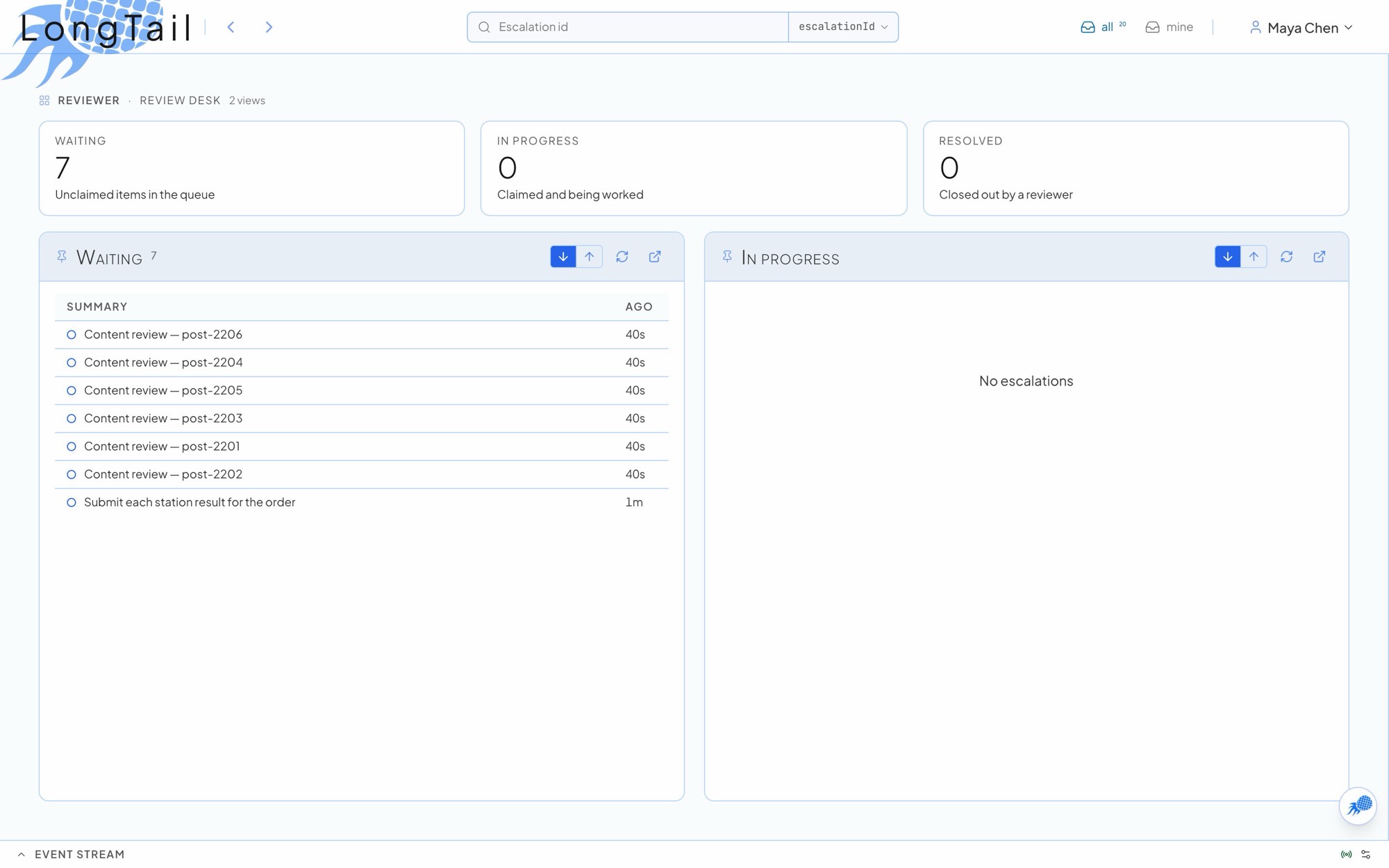
Section titled “Portals”A role can lay its pins out as pages at /portal/<role>/<key>: up to 4 rows of up to 6 live list panels, with optional count tiles above.
roles: [ { role: 'reviewer', portals: [ { key: 'review-desk', label: 'Review desk', counts: [ { label: 'Waiting', url: '/escalations/available?role=reviewer', blurb: 'Unclaimed items in the queue' }, { label: 'In progress', url: '/escalations/available?role=reviewer&status=claimed' }, ], rows: [[ { label: 'Waiting', url: '/escalations/available?role=reviewer&view=table&layout=compact', badge: true }, { label: 'In progress', url: '/escalations/available?role=reviewer&status=claimed&view=table&layout=compact', badge: true }, ]], }, ], reset: true, },],- A portal page hides the left nav. It is a screen read from across a room.
?layout=compactkeeps a narrow panel a tight table, so twenty rows fit on a wall screen.- Panels read through the same role-scoped endpoints, so each viewer sees exactly their read scope.
- Members open portals from the user menu. A kiosk role lands on its first portal as home.
Role Detail’s Portal section composes them visually, and PATCH /api/roles/:role or the update_role MCP tool sets them directly.
Realtime refresh
Section titled “Realtime refresh”The dashboard is push-driven. Socket.IO or NATS events invalidate queries and the open page refetches. One shared scheduler bounds the rate each kind of surface can hit the API:
| Tier | Surfaces | Coalesce | Minimum interval |
|---|---|---|---|
DETAIL |
One record’s page | 300 ms | 2 s |
LIST |
Queues and job lists | 500 ms | 3 s |
SUMMARY |
Pace Board, stats, analytics, header counts, pin badges | 1 s | 10 s |
A burst inside the coalesce window lands as one refetch, and events during the cooldown collapse into one trailing refetch. A hidden tab marks queries stale and catches up once when it becomes visible. Your own actions (claim, resolve, bulk) refresh immediately. After a dropped connection the dashboard reconnects with backoff and refetches the open pages.
Other pages
Section titled “Other pages”| Page | Route | Use |
|---|---|---|
| Role detail | /admin/roles/:role |
Identity, Pace Board dials, schemas, members and scope, pins, portals |
| Escalation schema | /admin/roles/:role/schema |
The versioned resolve form, with a version rail |
| Personas | /admin/personas |
Bundle roles into one-step assignments |
| Invoke Tool | /workflows/durable/invoke |
Start a workflow you may invoke, with its inputSchema form |
| Executions | /workflows/executions |
Procedural runs with timeline, events and raised escalations |
| Knowledge | /knowledge |
Versioned domain data that forms and workflows read |
| Credentials | /credentials |
Your OAuth connections and API keys |
| Connected apps | /connected-apps |
MCP clients you connected with OAuth |
Announcements published with POST /api/announcements or the publish_announcement tool appear as a notice line under the header on every connected dashboard.